Back to Communication
LinkedIn MCP Assistant
LiGo MCP is the first Claude + ChatGPT integration built for LinkedIn creators. It gives your AI assistant access to your post history - so it can analyze what works, write in your voice, and publish or schedule content directly. Set it up once, use it daily. No prompt engineering needed. Use it to: - Build a LinkedIn-native content engine - Post in your voice, fast - Schedule straight from chat
Last updated: 1/27/2026
README
# LiGo + LinkedIn MCP Runner 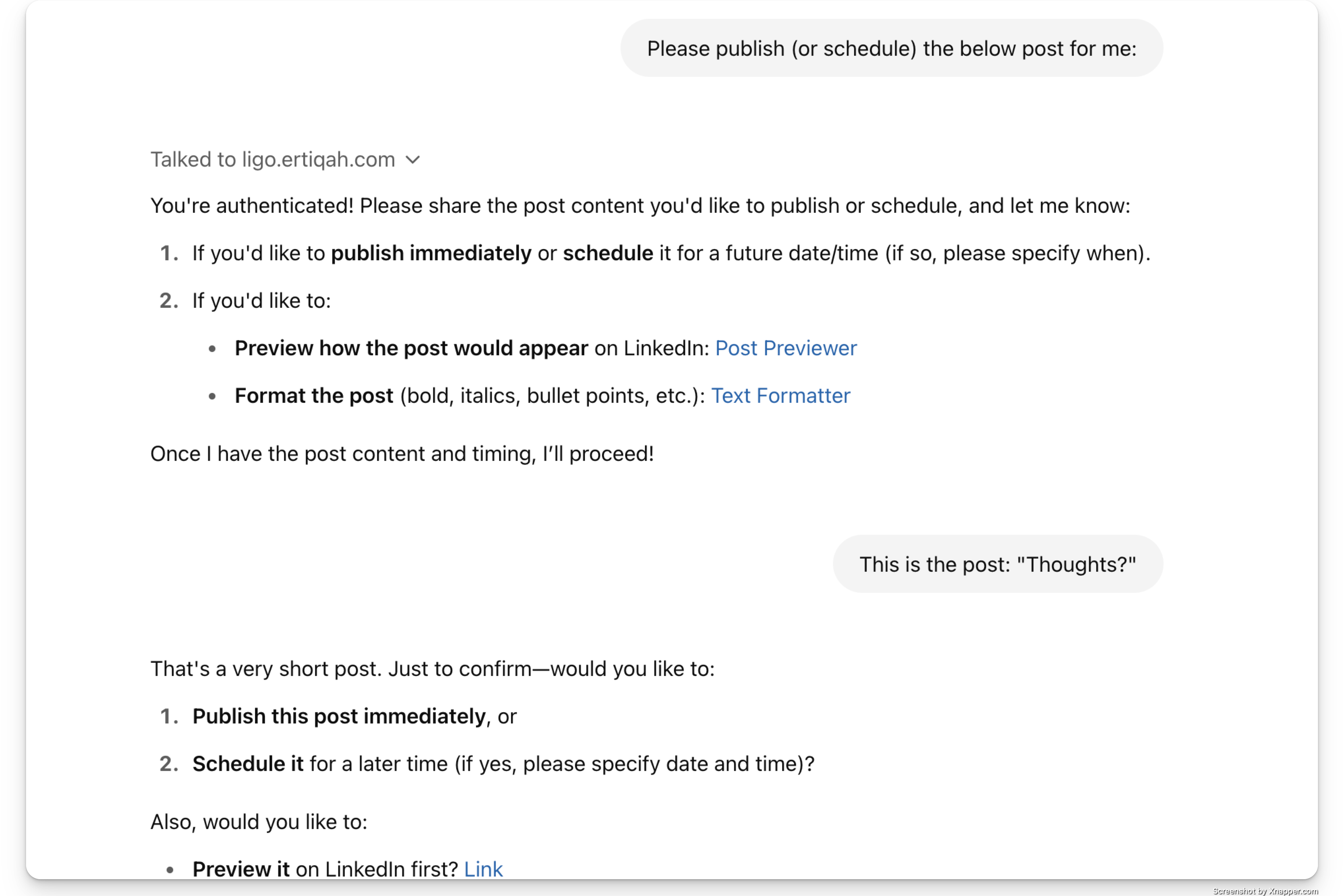 **The first GPT-powered creative co-pilot trained on your actual LinkedIn content.** <a href="https://glama.ai/mcp/servers/@ertiqah/linkedin-mcp-runner"> <img width="380" height="200" src="https://glama.ai/mcp/servers/@ertiqah/linkedin-mcp-runner/badge" alt="LinkedIn Assistant MCP server" /> </a> Create posts. Analyze what’s working. Rewrite in your voice. All from Claude or ChatGPT, powered by your own past posts. --- ## What is this? This is the official runner repo for **LiGo’s Model Context Protocol (MCP)** - a protocol that lets GPT-based assistants pull your LinkedIn context and respond like a strategist. It works with both Claude and ChatGPT. With MCP, your assistant can answer things like: - Which of your last posts got the most traction - What your writing tone actually sounds like - How to help you post, rewrite, or brainstorm like a founder Just talk to it normally (if you know how to do that - no judging if you don't, btw). It has access to all your PUBLIC Linkedin data (with your consent, of course). --- ## How to Get Started ### Claude Setup 1. [Download the Claude desktop app](https://claude.ai/download). 2. Visit [ligo.ertiqah.com/integrations/claude](https://ligo.ertiqah.com/integrations/claude) 3. Click **"Generate Installation Command"** - If not logged in, you’ll be routed to authenticate with LiGo 4. Copy the command and run it in your terminal 5. Open Claude and start chatting Example prompt: > Analyze my last 5 posts. What’s working? Give me ideas on what I should write next. ### ChatGPT (CustomGPT) No installation needed. 1. Go to [ligo.ertiqah.com/integrations/chatgpt](https://ligo.ertiqah.com/integrations/chatgpt) 2. Authenticate with LiGo when prompted 3. Start using the CustomGPT Example prompt: > Rewrite this to sound more like my recent posts and make the hook spicier. --- ## See It in Action: [MCP Leaderboard](https://ligo.ertiqah.com/mcp-leaderboard) We showcase the **latest 50 posts** made using the MCP integration, complete with: - The full post - A link to the original LinkedIn post - The author’s name This acts like a public feed. It’s a live demo. And yes, it creates some healthy FOMO + you get a permanent backlink to your post. SEO goes brrrr. --- ## Why It Matters Honestly, it's a bit of a pain keeping your GPT/Claude Project up to date with your Linkedin activity (assuming you even have one). We thought: "Wouldn't it be nice if GPT could connect to our Linkedin profile so I could just tell it to go look at it?" And then this happened. But, that's not all. It’s part of the broader [LigoSocial platform](https://ligosocial.com), which covers commenting, analytics, CRM, and more. Go check it out. --- ## Also Check Out - [Chrome Extension](https://chromewebstore.google.com/detail/ligo-for-linkedin%C2%AE/dlclgkldbjggemolgmajabobdcofgjof): Comment and post directly from LinkedIn. - [Post Rewriter Tool](https://ligo.ertiqah.com/tools/linkedin-post-rewriter): Turn rough drafts into LinkedIn-ready posts. - [What is LiGo?](https://ligo.ertiqah.com/what-is-ligo): Full product overview. --- ## Stay Updated This README will be the canonical source for MCP runner updates. For feedback, improvements, or integration ideas, open an issue or reach out via [ligo.ertiqah.com/contact](https://ligo.ertiqah.com/contact).
Installation
Add this MCP to your configuration:
{
  "mcpServers": {
    "linkedin-mcp-assistant": {
      // See GitHub repository for configuration
    }
  }
}
See the GitHub repository for full installation instructions.