Back to AI Assistance
Kortx MCP
A lightweight, open-source MCP server that enables AI assistants like Claude Code to consult GPT-5 models for strategic planning, code improvement, and problem-solving, plus real-time web search with Perplexity Sonar and visual content creation with GPT Image, while automatically gathering relevant context from your codebase.
Last updated: 1/27/2026
README
# Kortx
[](https://www.npmjs.com/package/@effatico/kortx-mcp)
[](https://opensource.org/licenses/MIT)
[](https://github.com/effatico/kortx-mcp/actions)
[](https://nodejs.org)
[Quick Start](#quick-start) • [Documentation](#documentation) • [Examples](./examples) • [Contributing](./CONTRIBUTING.md)
Kortx is a lightweight [Model Context Protocol](https://modelcontextprotocol.io) (MCP) server that gives coding copilots access to:
- OpenAI GPT-5 models (`gpt-5`, `gpt-5-mini`, `gpt-5-nano`, `gpt-5-codex`, `gpt-5.1-2025-11-13`, `gpt-5.1-codex`) with automatic fallback.
- Perplexity Sonar models for real-time research.
- GPT Image (`gpt-image-1`) for visual generation and editing.
- A default context gatherer that can ingest local file excerpts and optional connectors for [Serena](https://github.com/oraios/serena), [MCP Knowledge Graph](https://github.com/shaneholloman/mcp-knowledge-graph), and [CCLSP](https://github.com/ktnyt/cclsp) MCP servers when those are running.
The server ships with structured logging, request rate limiting, response caching, and a hardened Docker build that runs as a non-root user. Transport is stdio-only today (HTTP is not implemented yet).
---
## Highlights
- Seven consultation tools plus a batch runner covering planning, alternatives, copy improvement, debugging, expert consultation, research, and image workflows.
- File-based context enrichment out of the box, with pluggable MCP connectors ready for [Serena](https://github.com/oraios/serena)/[MCP Knowledge Graph](https://github.com/shaneholloman/mcp-knowledge-graph)/[CCLSP](https://github.com/ktnyt/cclsp) when available.
- Perplexity integration (requires API key) for citation-backed answers and image search.
- Configurable OpenAI model, reasoning effort, verbosity, and retry behaviour.
- Built-in rate limiting, cache, and optional audit logging to avoid flooding upstream APIs.
- Dockerfile uses multi-stage build, npm audits, and runs as UID/GID 1001.
---
## Quick Start
1. **Set credentials** (both keys are required by the current config):
```bash
export OPENAI_API_KEY=sk-your-openai-key
export PERPLEXITY_API_KEY=pplx-your-perplexity-key
```
1. **Add Kortx to your MCP client**. Example generic configuration:
```json
{
"mcpServers": {
"kortx-mcp": {
"command": "npx",
"args": ["-y", "@effatico/kortx-mcp@latest"],
"env": {
"OPENAI_API_KEY": "${OPENAI_API_KEY}",
"PERPLEXITY_API_KEY": "${PERPLEXITY_API_KEY}"
}
}
}
}
```
Client-specific walkthroughs for Claude Code, VS Code Copilot, Cursor, and others are available under [docs/integration](./docs/integration).
---
## Tool Overview
- `think-about-plan` – Structured review of plans with strengths, risks, and follow-up questions.
- `suggest-alternative` – Generates viable alternatives with trade-offs and constraints.
- `improve-copy` – Refines technical copy with tone, clarity, and accessibility guidance.
- `solve-problem` – Debugging assistant covering root cause analysis and remediation steps.
- `consult` – Expert consultation with domain-specific personas (software-architecture, security, performance, database, devops, frontend, backend, ai-ml, general).
- `search-content` – Perplexity-backed web/academic/SEC search with citations and optional images.
- `create-visual` – GPT Image based generator/editor; search mode reuses Perplexity for visual inspiration.
- `batch-consult` – Runs multiple tool calls in parallel and returns aggregated results.
Every consultation tool accepts an optional `preferredModel`. The OpenAI client falls back through `gpt-5.1-2025-11-13 → gpt-5.1-codex → gpt-5 → gpt-5-mini → gpt-5-nano` automatically on failures.
---
## Configuration Essentials
Minimum environment variables:
- `OPENAI_API_KEY` – required
- `PERPLEXITY_API_KEY` – required (disable Perplexity integration by omitting the `search-content` / `create-visual` search mode if you do not have a key)
Common overrides (see `.env.example` for the full list):
```bash
# OpenAI behaviour
OPENAI_MODEL=gpt-5-mini # gpt-5 | gpt-5-mini | gpt-5-nano | gpt-5-codex | gpt-5.1-2025-11-13 | gpt-5.1-codex
OPENAI_REASONING_EFFORT=minimal
OPENAI_VERBOSITY=low
OPENAI_MAX_TOKENS=1024
# Safety & performance
ENABLE_RESPONSE_CACHE=true
CACHE_MAX_SIZE_MB=100
ENABLE_RATE_LIMITING=true
MAX_REQUESTS_PER_HOUR=100
# Context gathering
ENABLE_SERENA=false # flip to true when a Serena MCP server is reachable
ENABLE_MEMORY=false # same for MCP Knowledge Graph
ENABLE_CCLSP=false # same for cclsp
INCLUDE_FILE_CONTENT=true
```
> **Note**
> The [Serena](https://github.com/oraios/serena), [MCP Knowledge Graph](https://github.com/shaneholloman/mcp-knowledge-graph), and [CCLSP](https://github.com/ktnyt/cclsp) connectors are stubs that return data only when the corresponding MCP servers are running and reachable. Out of the box the gatherer uses on-disk file excerpts referenced in prompts.
Full reference: [docs/configuration.md](./docs/configuration.md)
---
## Docker
Build and run locally:
```bash
docker build -t kortx-mcp .
docker run -i --rm \
-e OPENAI_API_KEY=$OPENAI_API_KEY \
-e PERPLEXITY_API_KEY=$PERPLEXITY_API_KEY \
kortx-mcp
```
The image:
- Uses Node.js 22 Alpine
- Performs `npm audit` during build
- Copies only the compiled `build/` artefacts and production deps
- Runs as user `nodejs` (UID 1001)
Compose example (`docker-compose.yml`) is included for longer-lived runs with volume mounts.
---
## Development
```bash
git clone https://github.com/effatico/kortx-mcp.git
cd kortx-mcp
npm install
cp .env.example .env
npm run build
npm run dev
```
Useful scripts:
- `npm test` / `npm run test:coverage`
- `npm run lint` / `npm run lint:fix`
- `npm run format` / `npm run format:check`
- `npm run inspector` – launch MCP Inspector for interactive debugging
Node.js ≥ 22.12.0 and npm ≥ 9 are required.
---
## Documentation
- [Getting Started](./docs/getting-started.md)
- [Integration Guides](./docs/integration)
- [API Reference](./docs/api)
- [Troubleshooting](./docs/troubleshooting.md)
- [Examples](./examples)
---
## Contributing & Support
- [Contributing Guide](./CONTRIBUTING.md)
- [Security Policy](./SECURITY.md)
- [GitHub Discussions](https://github.com/effatico/kortx-mcp/discussions)
- [Issue Tracker](https://github.com/effatico/kortx-mcp/issues)
- [Email](mailto:info@effati.se)
---
## License
MIT © [Effati Consulting AB](https://effati.se). See [LICENSE](./LICENSE).
[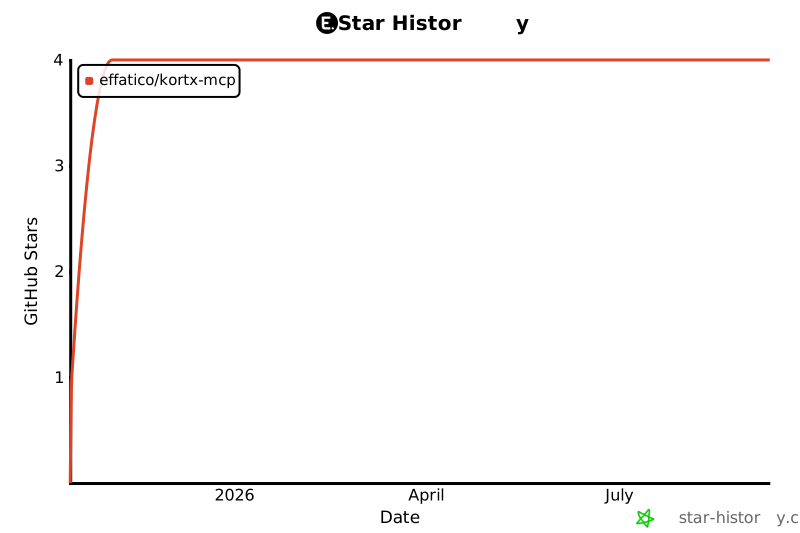](https://star-history.com/#effatico/kortx-mcp&Date)
Installation
Add this MCP to your configuration:
{
  "mcpServers": {
    "kortx": {
      // See GitHub repository for configuration
    }
  }
}
See the GitHub repository for full installation instructions.