Back to Data
DBHub (Universal Database Gateway)
Provides a universal database gateway for connecting to PostgreSQL, MySQL, SQLite, and DuckDB, enabling table browsing, schema inspection, and read-only SQL queries with built-in safety checks
Last updated: 1/27/2026
README
> [!NOTE]
> Brought to you by [Bytebase](https://www.bytebase.com/), open-source database DevSecOps platform.
<p align="center">
<a href="https://dbhub.ai/" target="_blank">
<picture>
<source media="(prefers-color-scheme: dark)" srcset="https://raw.githubusercontent.com/bytebase/dbhub/main/docs/images/logo/full-dark.svg" width="75%">
<source media="(prefers-color-scheme: light)" srcset="https://raw.githubusercontent.com/bytebase/dbhub/main/docs/images/logo/full-light.svg" width="75%">
<img src="https://raw.githubusercontent.com/bytebase/dbhub/main/docs/images/logo/full-light.svg" width="75%" alt="DBHub Logo">
</picture>
</a>
</p>
```bash
+------------------+ +--------------+ +------------------+
| | | | | |
| | | | | |
| Claude Desktop +--->+ +--->+ PostgreSQL |
| | | | | |
| Claude Code +--->+ +--->+ SQL Server |
| | | | | |
| Cursor +--->+ DBHub +--->+ SQLite |
| | | | | |
| VS Code +--->+ +--->+ MySQL |
| | | | | |
| Other Clients +--->+ +--->+ MariaDB |
| | | | | |
| | | | | |
+------------------+ +--------------+ +------------------+
MCP Clients MCP Server Databases
```
DBHub is a zero-dependency, token efficient MCP server implementing the Model Context Protocol (MCP) server interface. This lightweight gateway allows MCP-compatible clients to connect to and explore different databases:
- **Local Development First**: Zero dependency, token efficient with just two MCP tools to maximize context window
- **Multi-Database**: PostgreSQL, MySQL, MariaDB, SQL Server, and SQLite through a single interface
- **Multi-Connection**: Connect to multiple databases simultaneously with TOML configuration
- **Guardrails**: Read-only mode, row limiting, and query timeout to prevent runaway operations
- **Secure Access**: SSH tunneling and SSL/TLS encryption
## Supported Databases
PostgreSQL, MySQL, SQL Server, MariaDB, and SQLite.
## MCP Tools
DBHub implements MCP tools for database operations:
- **[execute_sql](https://dbhub.ai/tools/execute-sql)**: Execute SQL queries with transaction support and safety controls
- **[search_objects](https://dbhub.ai/tools/search-objects)**: Search and explore database schemas, tables, columns, indexes, and procedures with progressive disclosure
- **[Custom Tools](https://dbhub.ai/tools/custom-tools)**: Define reusable, parameterized SQL operations in your `dbhub.toml` configuration file
## Workbench
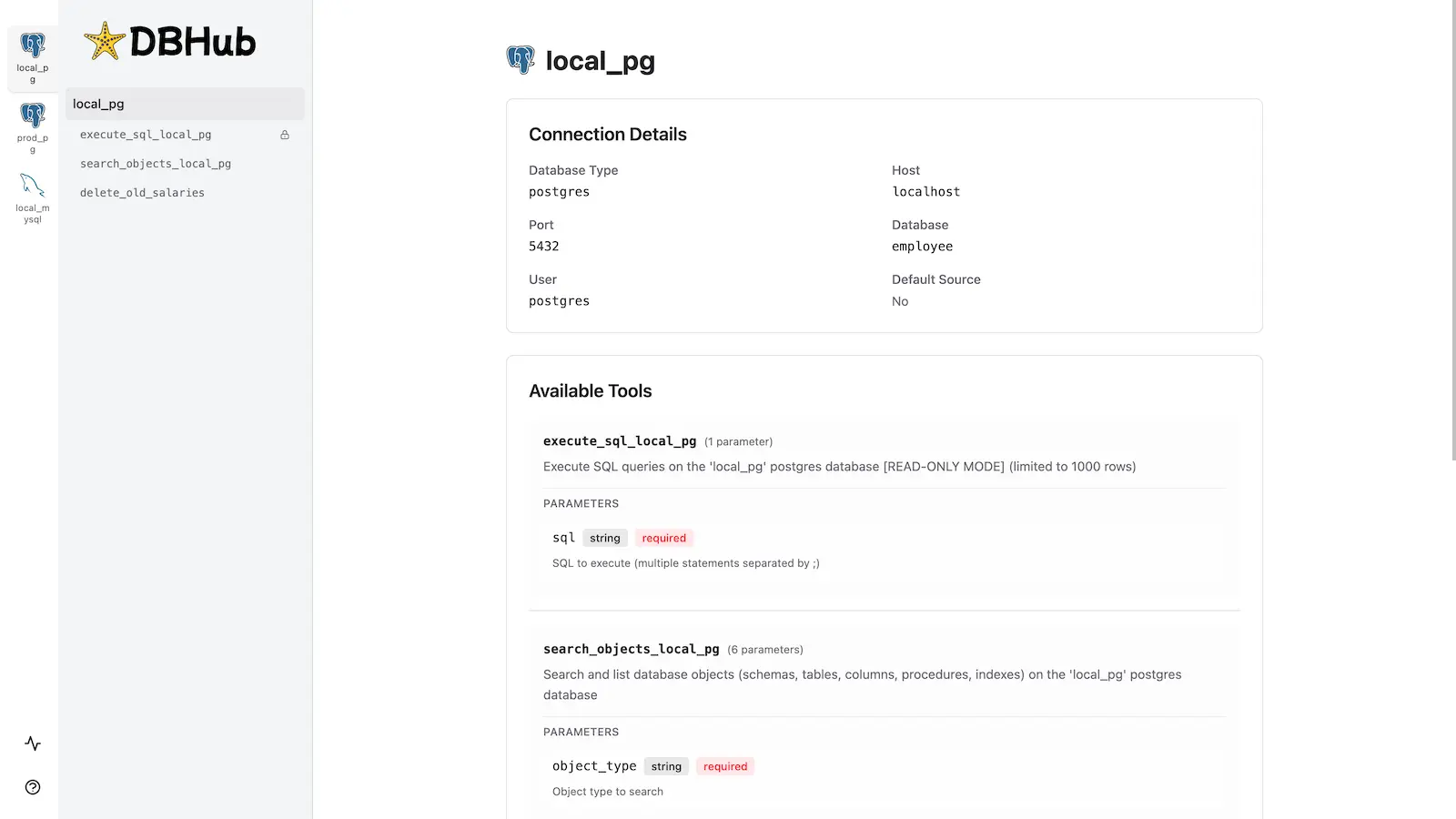
DBHub includes a [built-in web interface](https://dbhub.ai/workbench/overview) for interacting with your database tools. It provides a visual way to execute queries, run custom tools, and view request traces without requiring an MCP client.
## Installation
See the full [Installation Guide](https://dbhub.ai/installation) for detailed instructions.
### Quick Start
**Docker:**
```bash
docker run --rm --init \
--name dbhub \
--publish 8080:8080 \
bytebase/dbhub \
--transport http \
--port 8080 \
--dsn "postgres://user:password@localhost:5432/dbname?sslmode=disable"
```
**NPM:**
```bash
npx @bytebase/dbhub@latest --transport http --port 8080 --dsn "postgres://user:password@localhost:5432/dbname?sslmode=disable"
```
**Demo Mode:**
```bash
npx @bytebase/dbhub@latest --transport http --port 8080 --demo
```
See [Command-Line Options](https://dbhub.ai/config/command-line) for all available parameters.
### Multi-Database Setup
Connect to multiple databases simultaneously using TOML configuration files. Perfect for managing production, staging, and development databases from a single DBHub instance.
See [Multi-Database Configuration](https://dbhub.ai/config/toml) for complete setup instructions.
## Development
```bash
# Install dependencies
pnpm install
# Run in development mode
pnpm dev
# Build and run for production
pnpm build && pnpm start --transport stdio --dsn "postgres://user:password@localhost:5432/dbname"
```
See [Testing](.claude/skills/testing/SKILL.md) and [Debug](https://dbhub.ai/config/debug).
## Contributors
<a href="https://github.com/bytebase/dbhub/graphs/contributors">
<img src="https://contrib.rocks/image?repo=bytebase/dbhub" />
</a>
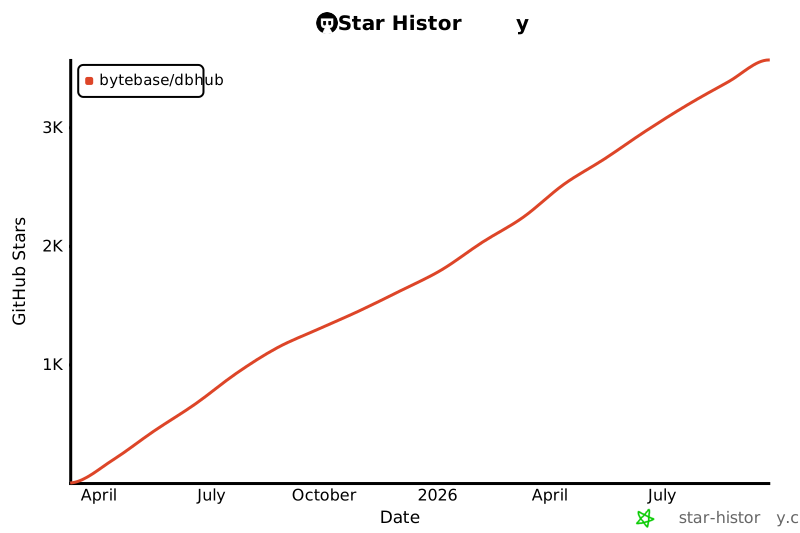
## Star History
Installation
Add this MCP to your configuration:
{
  "mcpServers": {
    "dbhub-universal-database-gateway": {
      // See GitHub repository for configuration
    }
  }
}
See the GitHub repository for full installation instructions.